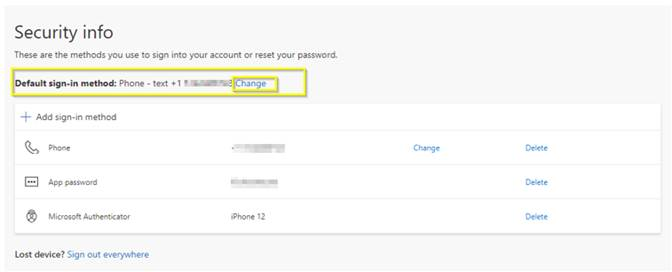
Lorsque vous changez de cellulaire, l'application Microsoft Authenticator devra être installée sur votre nouvel appareil. Celle-ci devra également être configurée afin que vous puissiez déverrouiller votre compte
À partir d'un navigateur, connectez vous dans votre compte à l'adresse : office.com

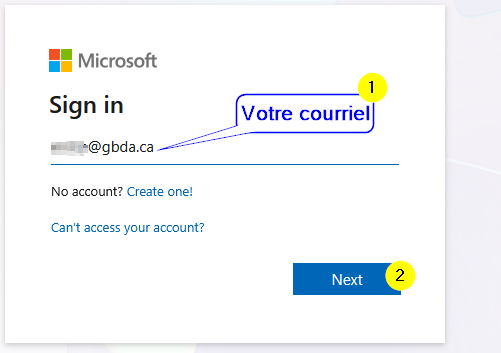
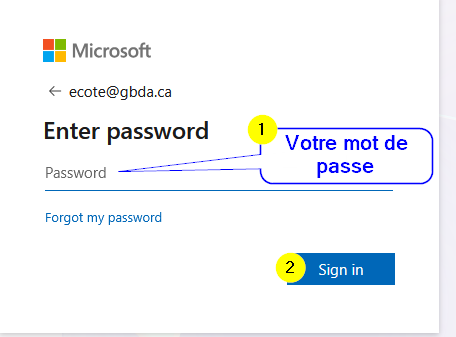
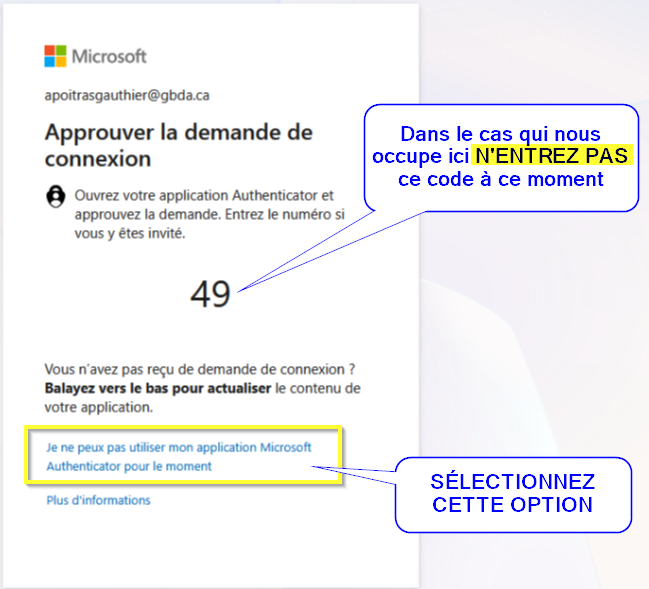
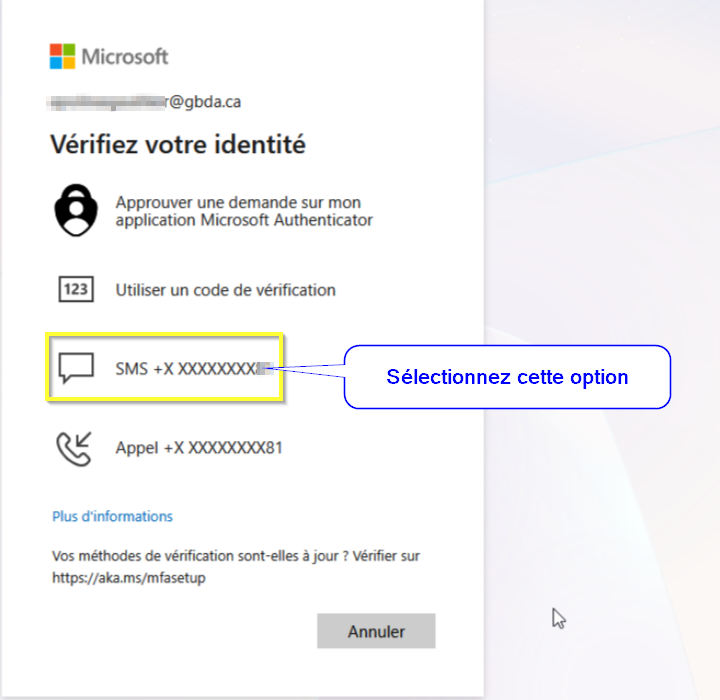
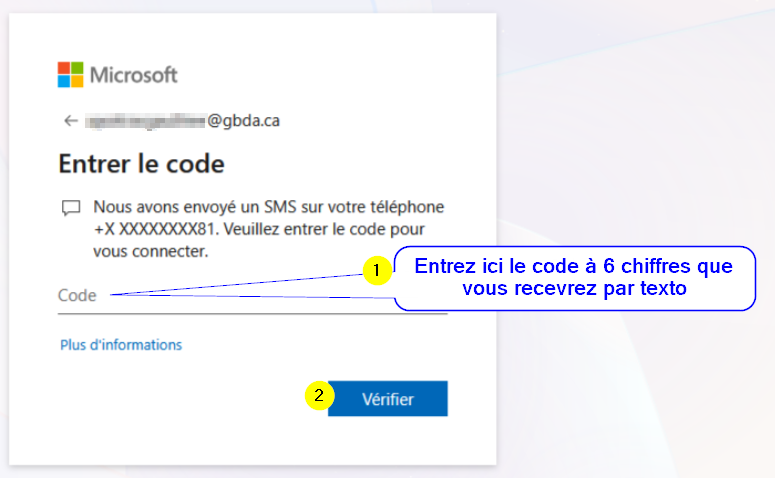
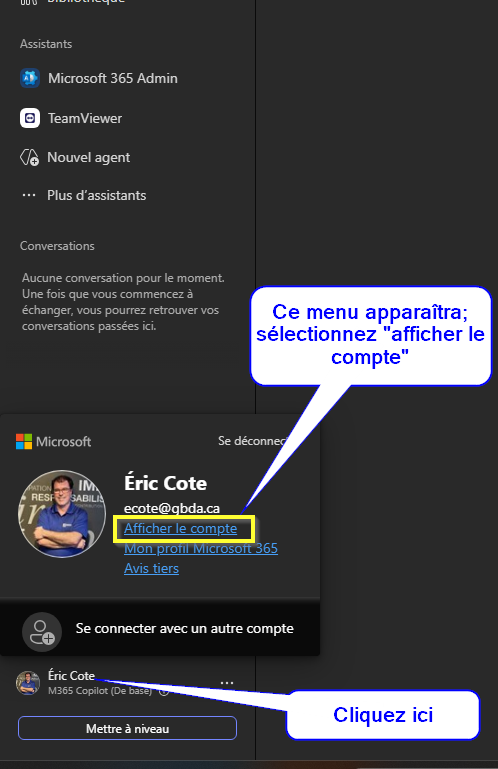
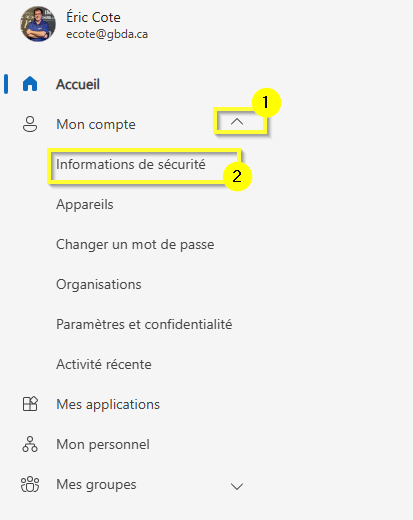
***Notez qu'il est possible que cette étape vous redemande le MFA ( Microsoft tend à sécuriser les informations de sécurité même à l'intérieur du compte ). Vous n'aurez qu'à refaire les étapes ci-haut mentionnées***
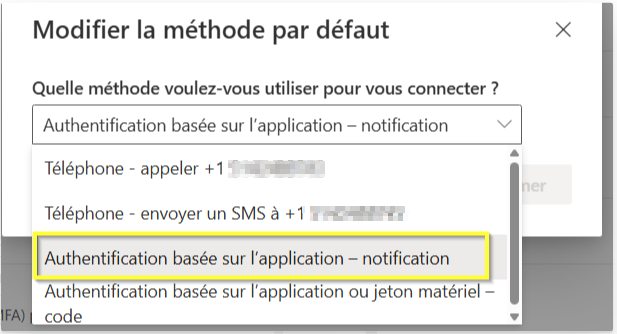
Si la méthode d'authentification primaire est le Microsoft Authenticator, vous devrez, pour la supprimer, mettre une autre méthode par défaut comme expliqué ci dessous:
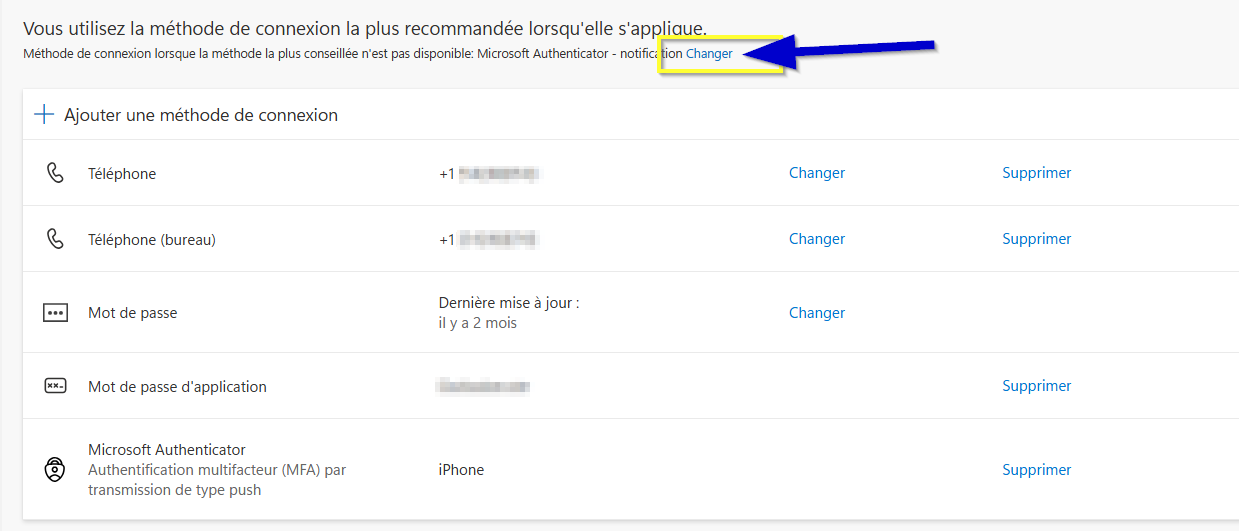
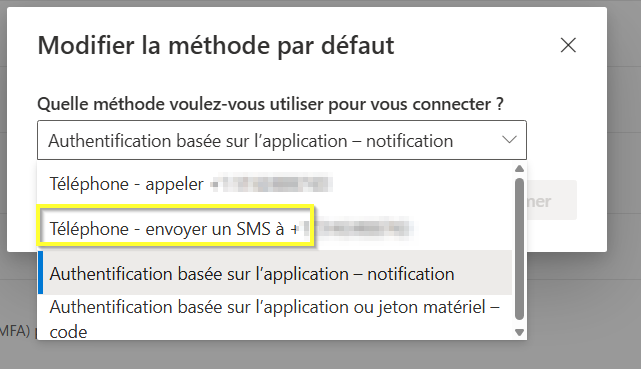
Une fois cette étape faite, vous pourrez supprimer la méthode Microsoft Authenticator référant à votre ancien appareil
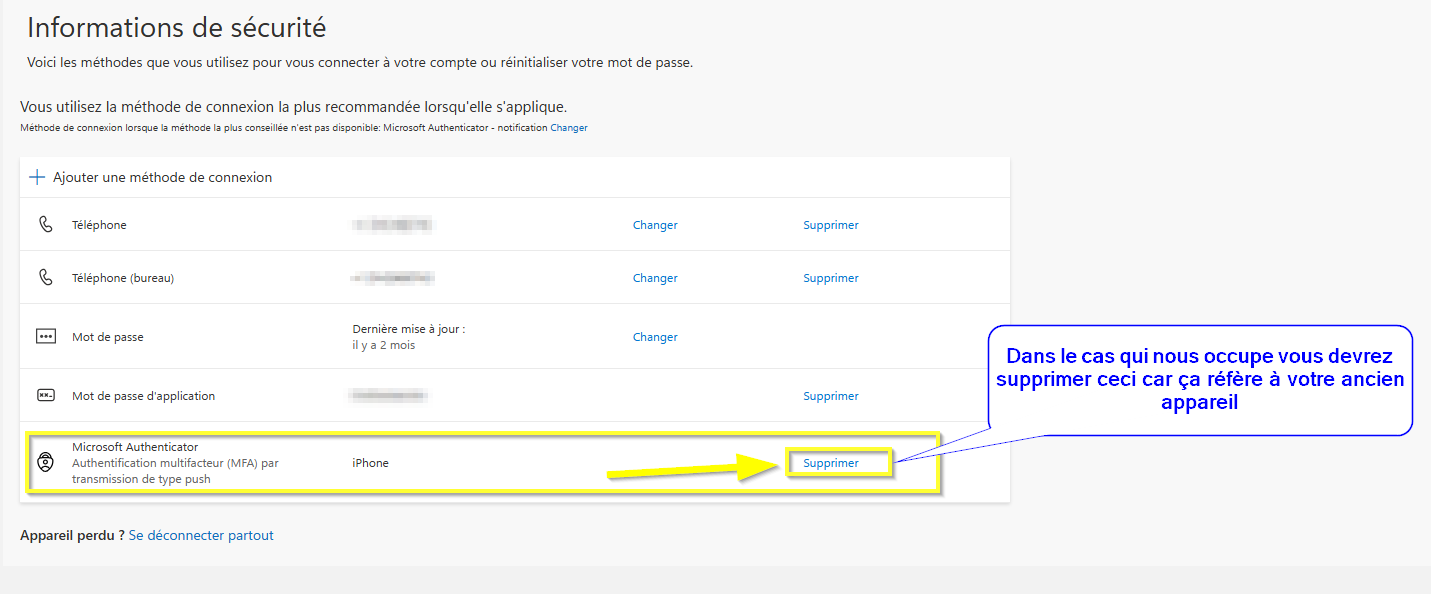
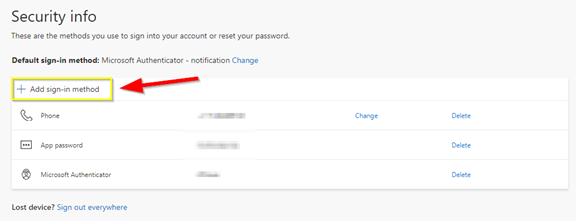
- Sélectionnez l’option vous permettant d’ajouter une méthode
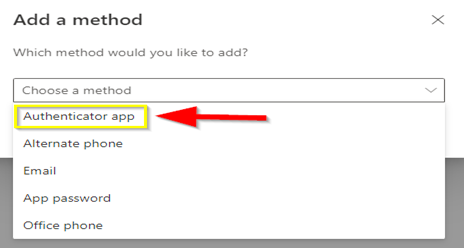
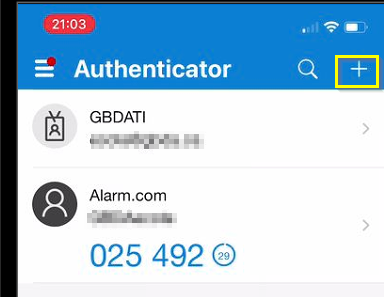
- Ouvrez l’application que vous avez téléchargé (Microsoft authenticator) sur votre cellulaire puis appuyez sur le + en haut à droite
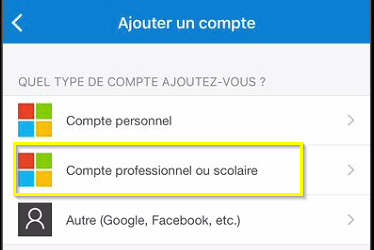
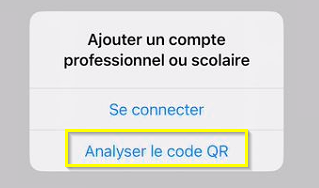
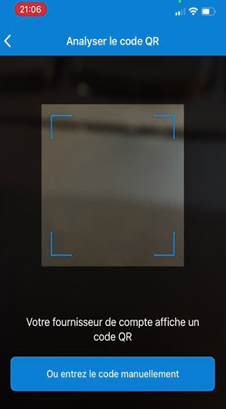
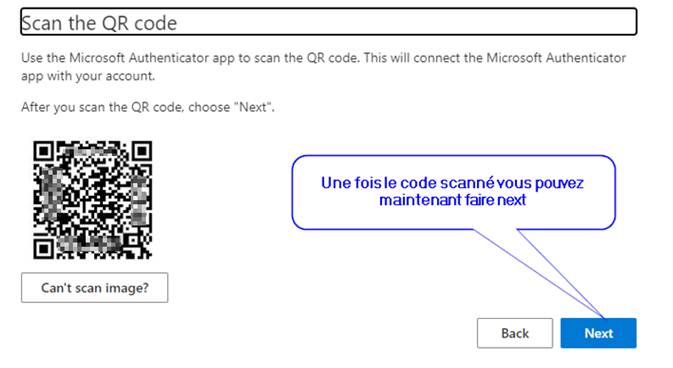
- Scannez maintenant le code QR affiché à l’écran de votre ordinateur
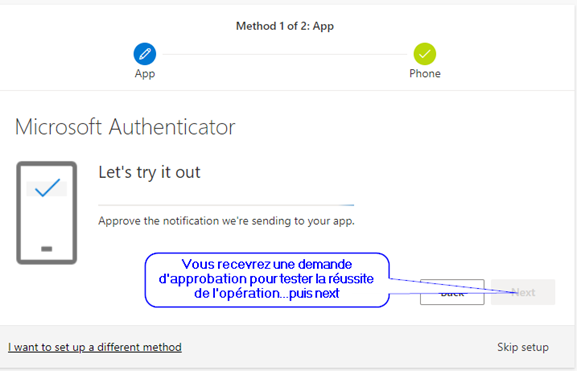
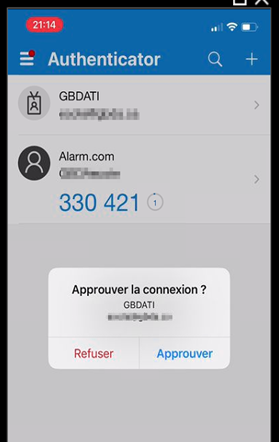
- Cliquez sur Approuver
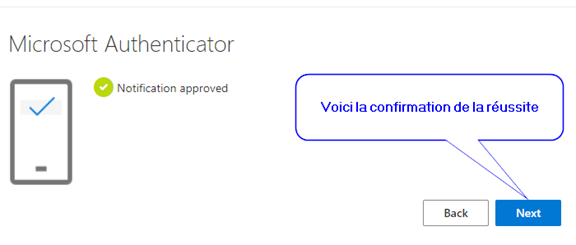
- Vous serez ramené vers cet écran où vous devrez confirmer la méthode d’authentification.